
Grow on X without living on X — from your favorite agent.
Your agent drafts, schedules, and paces everything like a human. You just approve.
Start free with 100 credits. No credit card needed.
Install ThreadWave with the agent you already use
Choose an agent to copy the installation prompt, then paste it into that agent.
$10 once for 2,000 long-lived credits. No sudo. Your agent pauses for Chrome approval, ThreadWave sign-in, Stripe checkout, and X sign-in.
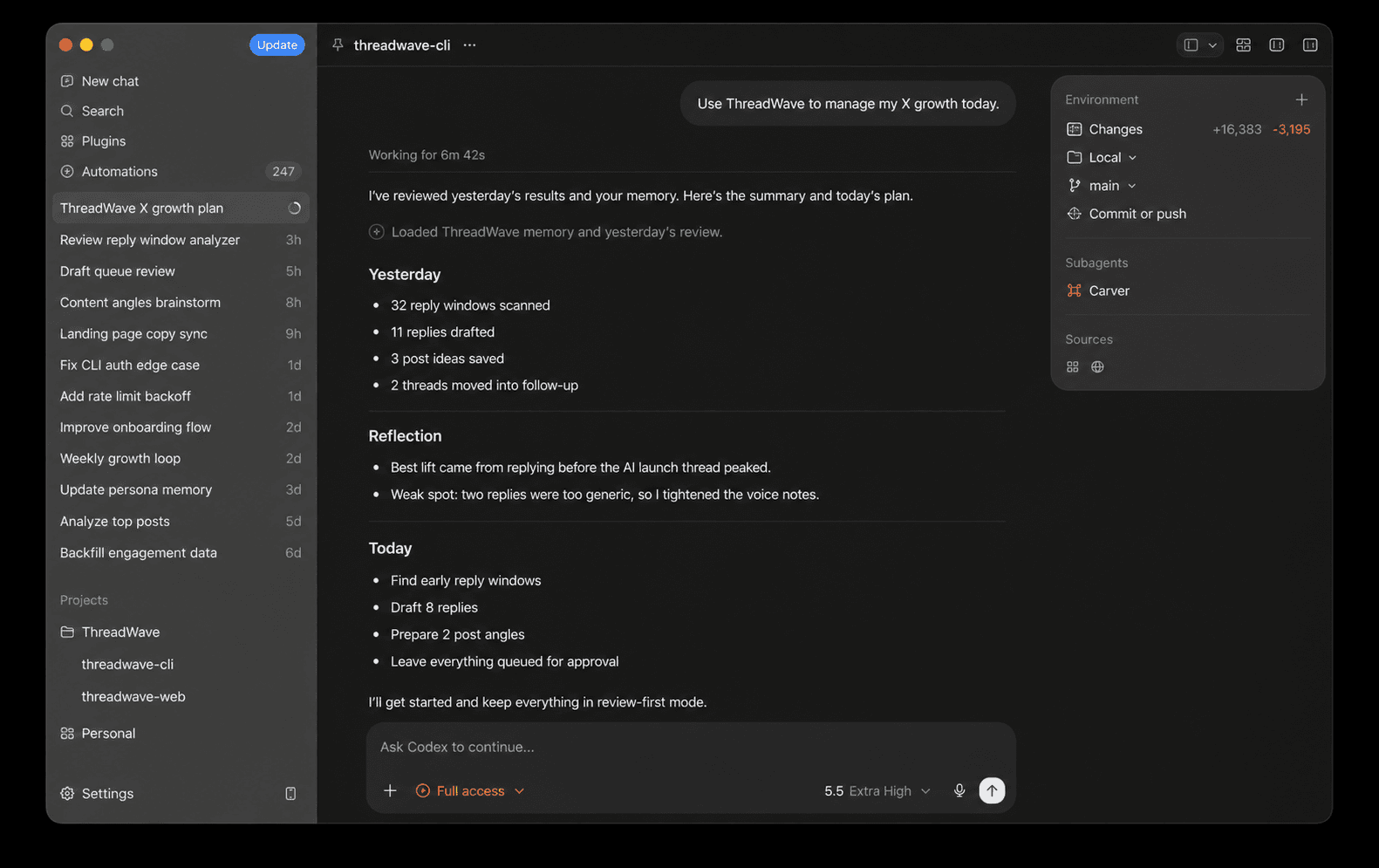
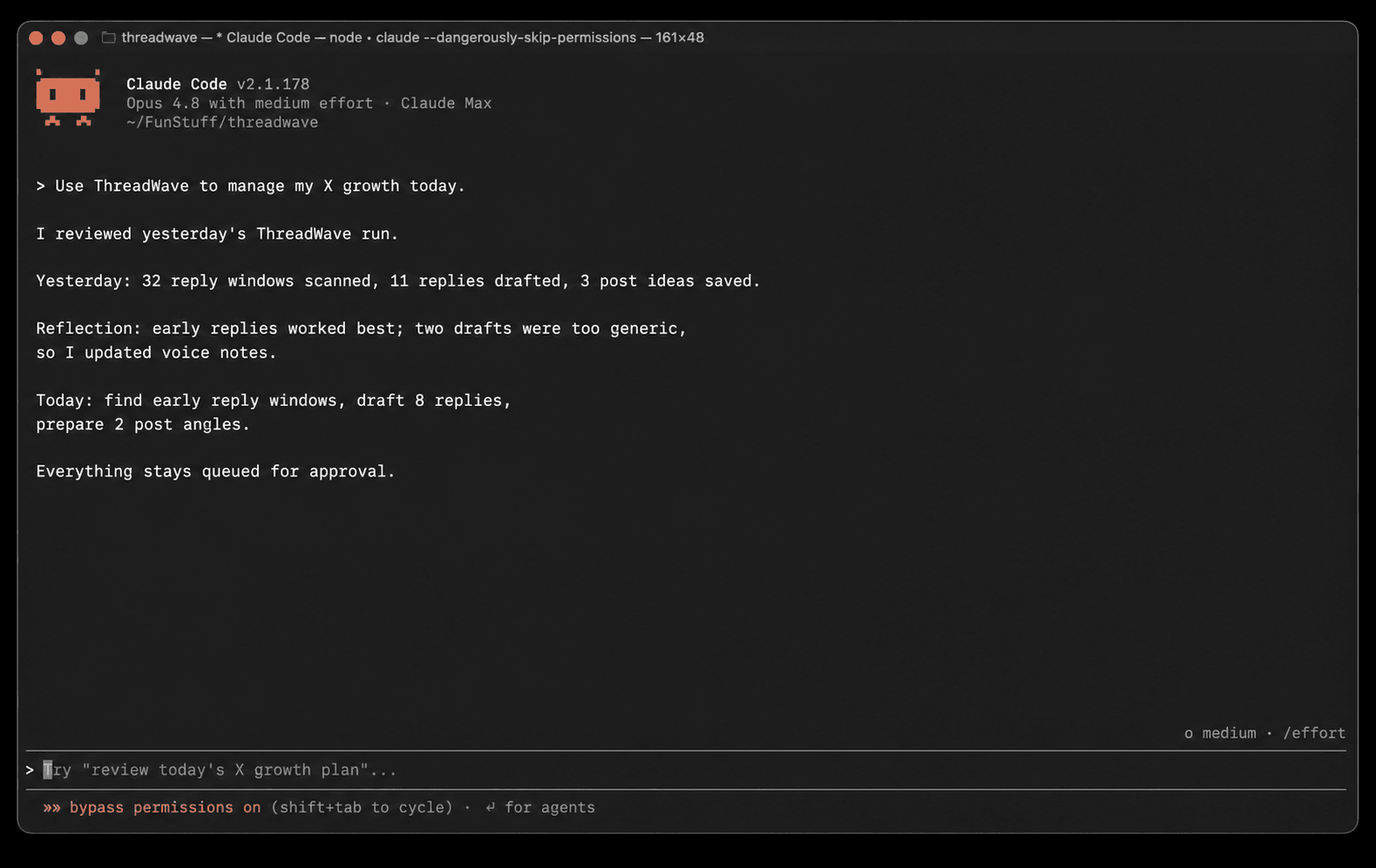
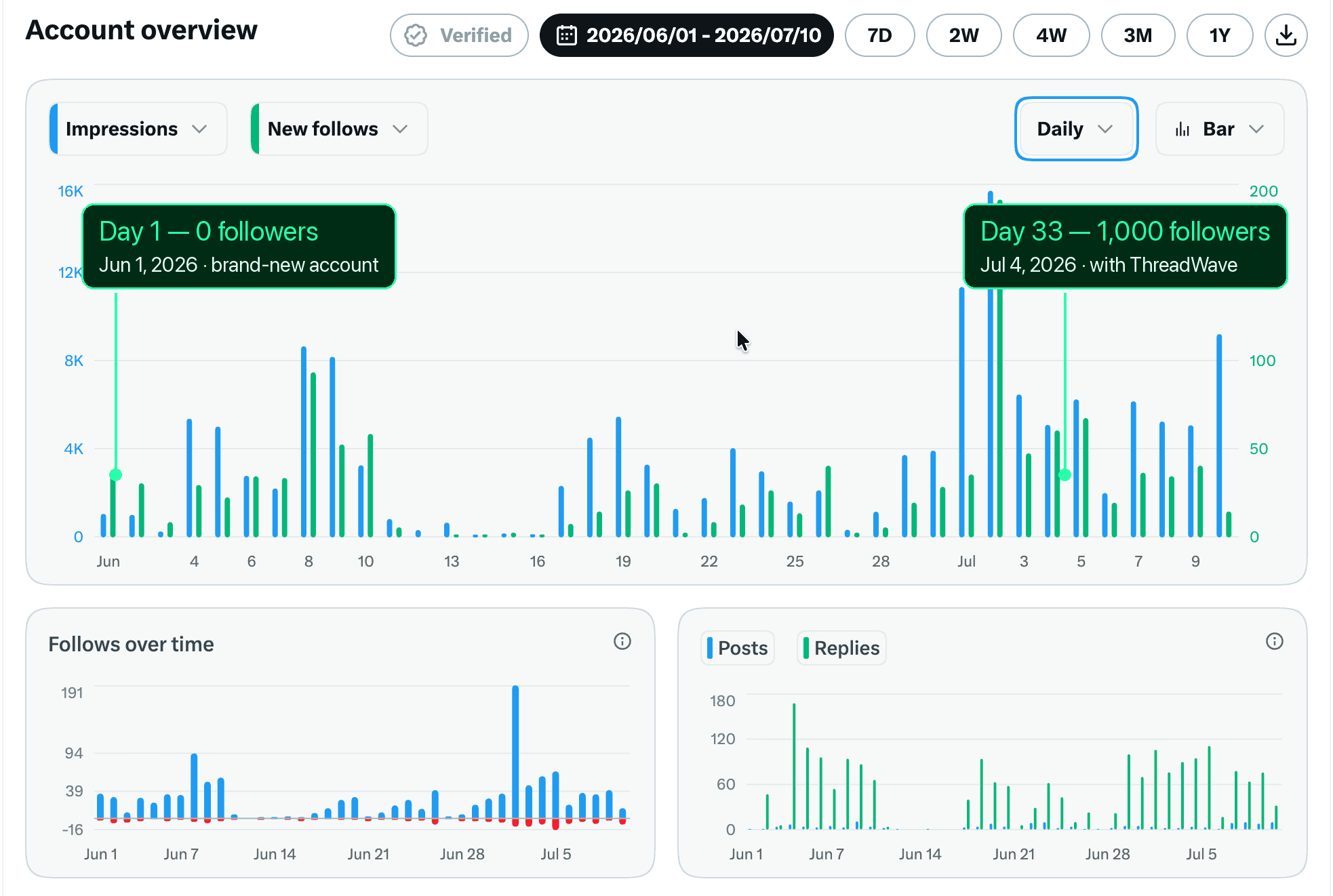
Proof it works: the founder's own account.
No rented testimonials. These are real numbers from the account of the person who built ThreadWave.
A brand-new account grown from zero while ThreadWave ran the daily growth loop.
Four AI-drafted, human-approved replies placed in the right conversations before they cooled down.
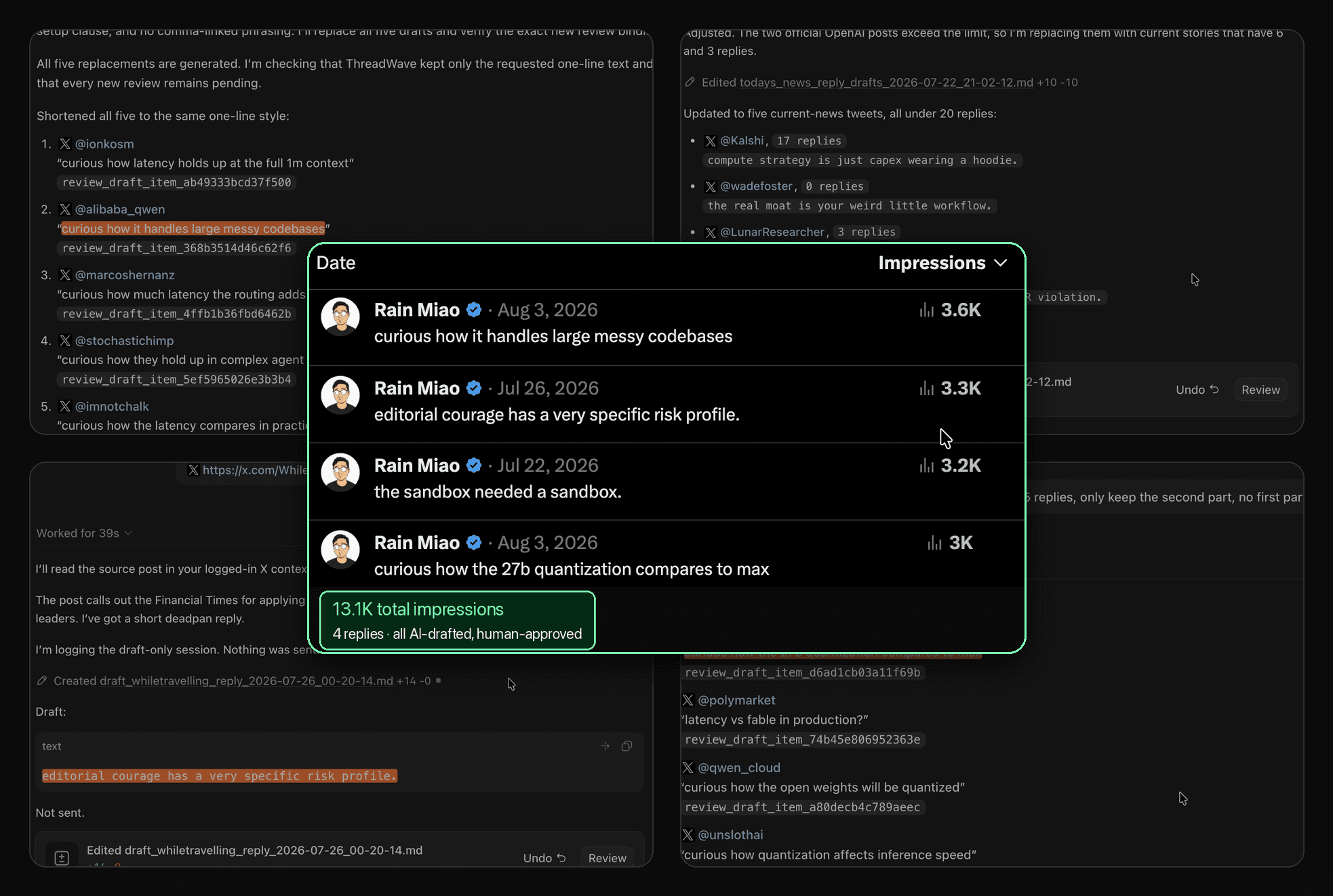
Real results from the founder's own account. Your growth depends on your niche, content, and consistency — we don't promise numbers.
X growth eats the hours you don't have.
Reply fast or get buried
Relevance windows close in hours.
Post daily or disappear
Quiet accounts stop getting shown.
Babysit another dashboard
Every "growth tool" adds more manual work.
One harness agent runs your whole growth loop.
One line of intent in. Reviewable growth work out.
See it run.
Two real sessions from the founder — the agent drafts replies from your feed on the Mac. Approve them at your desk, or from your phone in the car.
Two parts. Zero new apps.
Talk to your default agent on one side. The Chrome extension acts on x.com on the other. The CLI harness between them runs the loop.
You talk here
One line of intent, in the tool you already have open.
The harness runs the loop
Your account model, your strategy, your approval queue.
It acts here
A thin relay into your real x.com tab.
Human-paced actions in your browser session. No APIs, no bots.
Human by design.
Three rules that keep your account safe while the agent works.
Native browser control
Acts through your real Chrome tab, the same surface you use by hand. No unofficial APIs, no bot endpoints.
Strict time spacing
Every action is scheduled with human pacing and cooldowns. No reply bursts, no tweet bursts.
Human writing style
Drafts learn from your posts and edits, so they read like you, not like model output.
No automation tool can promise zero risk. We design to minimize it.
Pay for the work. Not another subscription.
$10 buys 2,000 long-lived CLI credits. Use them for AI-generated posts and replies, then buy more only when you need them.
Start free with 100 credits. No credit card needed.
2,000 long-lived CLI credits
Start with the product's native interface: your agent. It installs the CLI and verified skills before asking you to approve browser, account, and payment gates.
Paste it into any supported coding agent.
Review setup guideQuestions before you set up
What exactly is ThreadWave?
A review-first X growth workflow that runs through Codex, Claude Code, Cursor, Qoder, WorkBuddy, Trae, Reasonix with DeepSeek, Hermes Agent, or OpenClaw and works on x.com through your own browser session.
What do I get with ThreadWave CLI?
A one-time pack adds 2,000 long-lived credits. CLI access stays active while usable credits remain.
Do I need to install anything?
Yes. Your agent installs the ThreadWave CLI and verified skill suite. You approve the Chrome extension yourself because Chrome requires user confirmation, then setup verifies the connection.
How does CLI pricing work?
Pay $10 once for 2,000 long-lived CLI credits. There is no subscription or recurring fee. Buy another pack only when you need more.
What are CLI credits?
One credit covers one AI generation: a drafted tweet or a drafted reply.
Will it post automatically on my account?
No. Review-first by design: everything is drafted, queued, and gated on your approval.
What is the refund policy?
Prepaid credit packs are normally non-refundable. An approved full refund revokes that pack's unspent credits.
Put ThreadWave in your agent.
Copy once. The setup protocol handles the safe work and pauses at every user-owned approval.
Paste it into any supported coding agent.
Review setup guide